M79 Orders
Share a curated client link without uploading your whole studio
Publish a curated Orders snapshot for accept, milestones, or deliverables, revoke anytime. Working data stays on your device.
Clients need a clear view of the quote, what’s paid, and where files sit, not your internal notes and half-finished cards.
M79 Orders client share links publish a curated snapshot you choose. Revoke anytime. Free includes 1 live client link. Pro removes that cap.
Publish one curated link (and revoke it)
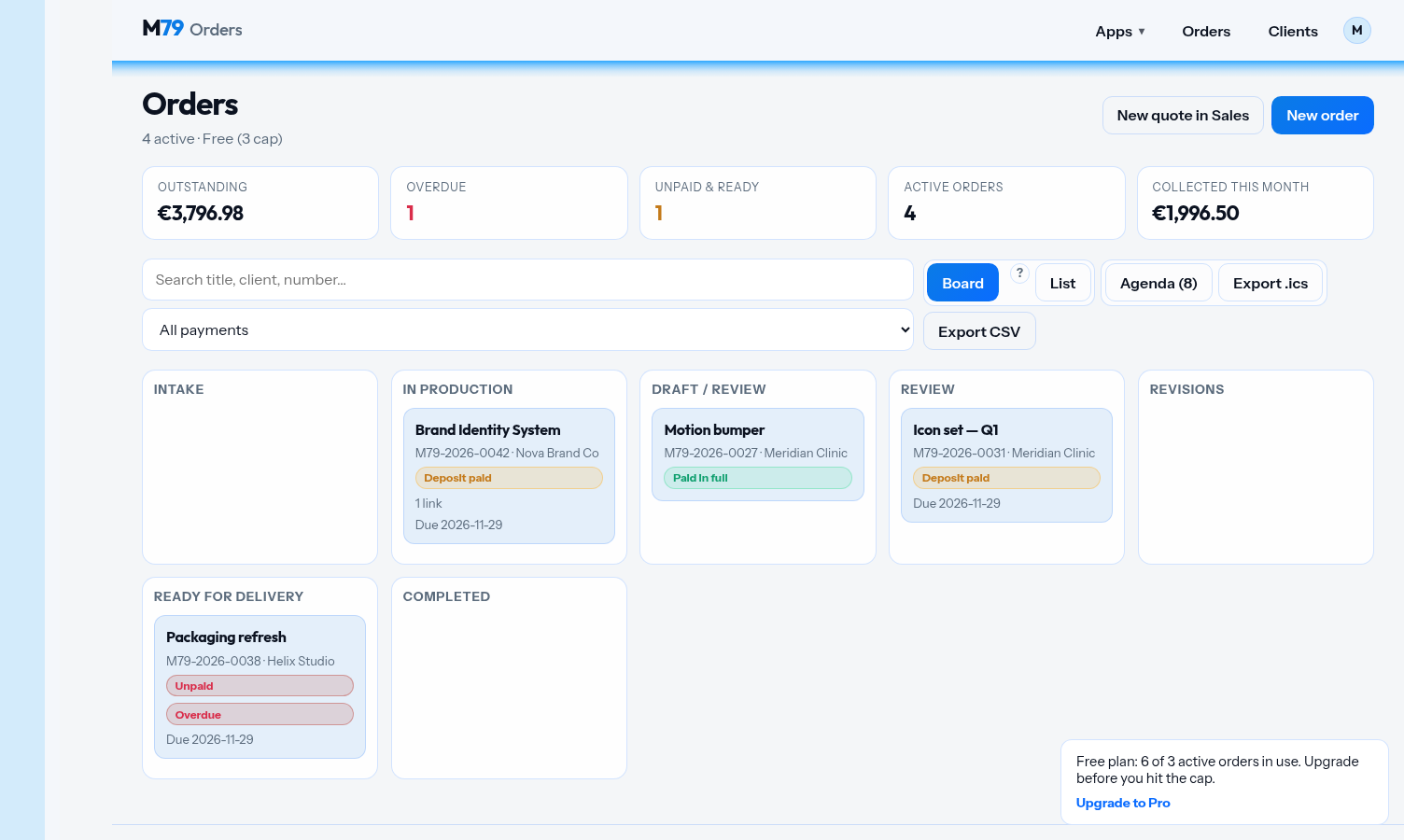
Open the job on your Orders board and choose what the client may see.
Pick the job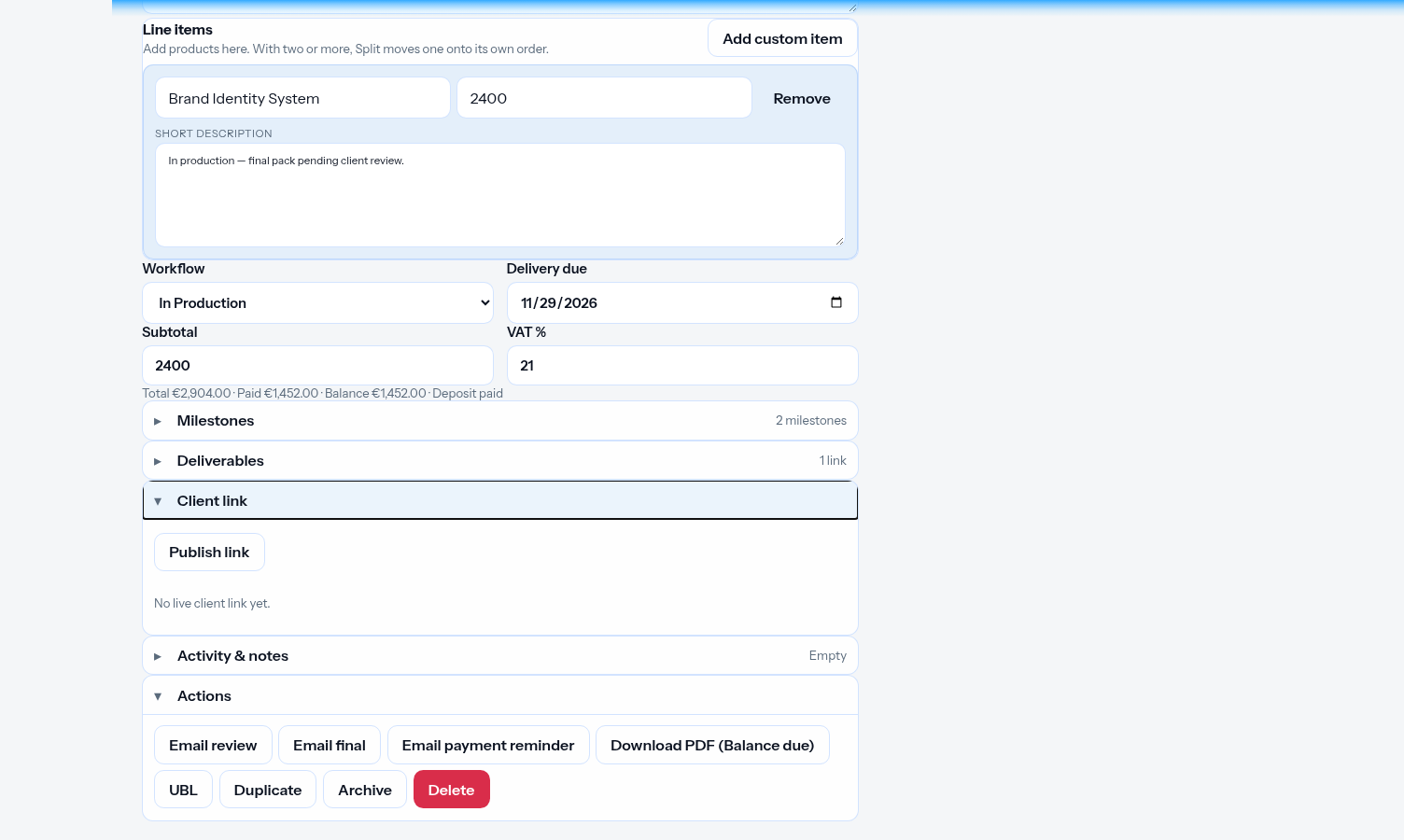
Publish a curated share link (accept, milestones, or deliverables).
Curated snapshot only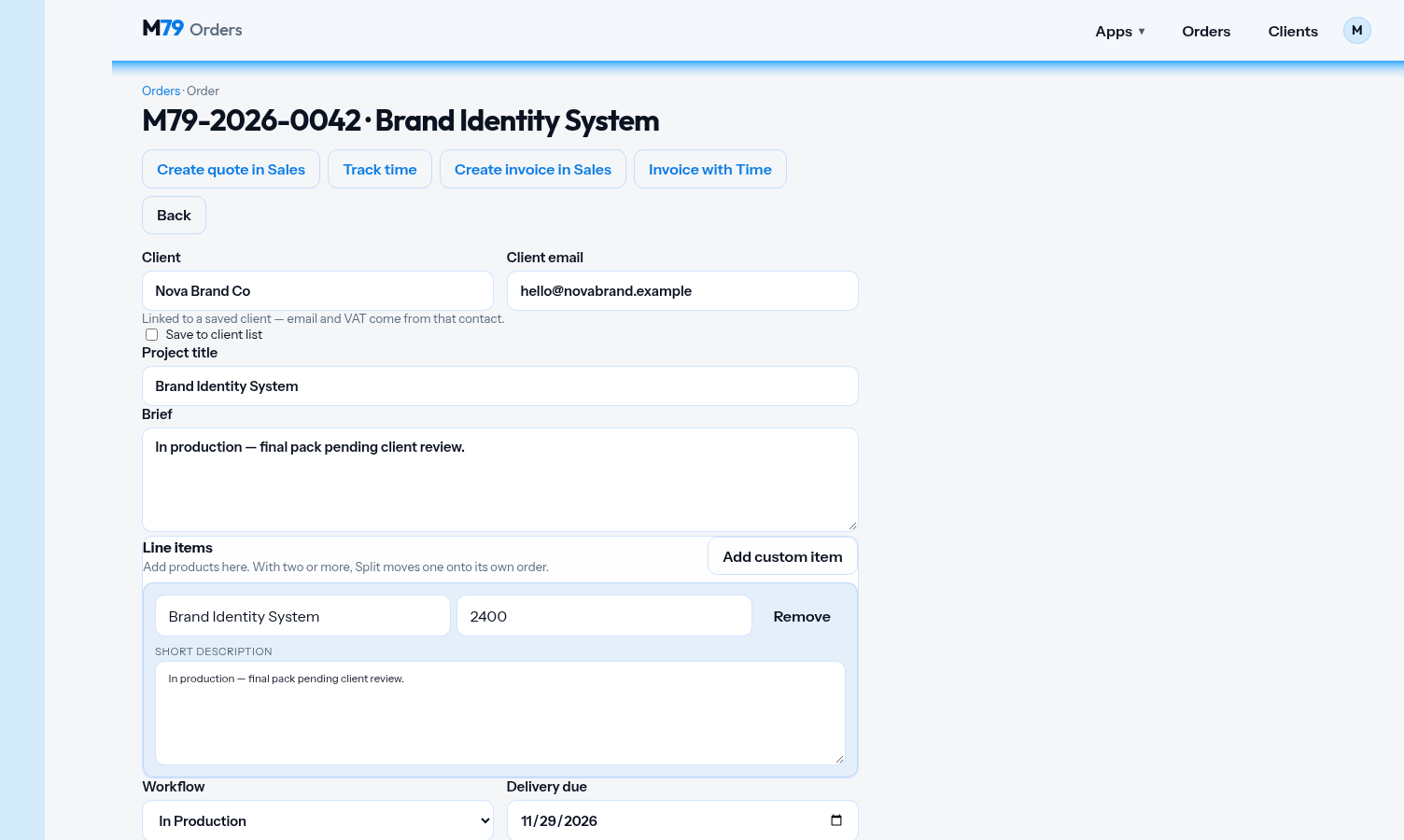
Send the link. Revoke anytime. Free includes 1 live client link; Pro removes that cap.
Revoke when the job ends
What stays on your device
Your board, drafts, and working history stay in IndexedDB on your device. The share page only shows what you published.
FAQ
What does the client see?
Only the curated snapshot you publish, not internal notes or unfinished cards.
Can I revoke a link?
Yes. Revoke anytime. Free includes 1 live client link. Pro removes that cap.